

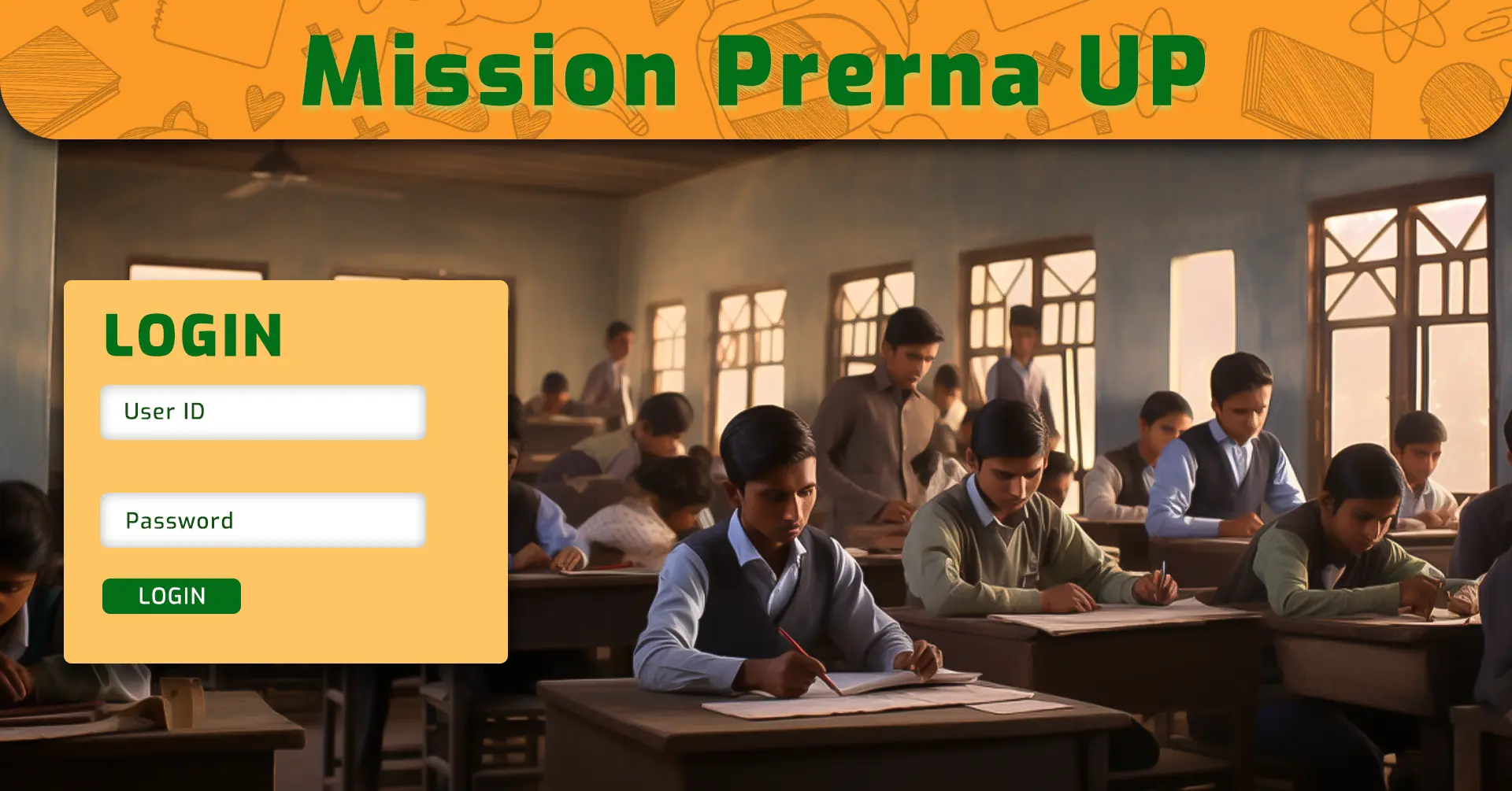
If you work with Uttar Pradesh’s Basic Education Department—or you’re a parent whose child studies in a government primary school—prerana up.in is the portal you’ll use for foundational learning, training, analytics, and school improvement tasks. This guide brings together everything other credible write-ups cover about Mission Prerna UP in one place, so you can confidently register, log in, use the official apps, and get the most from the ecosystem.
What is prerana up.in?
prerana up.in (often seen as prernaup.in) is the official Mission Prerna portal of the Department of Basic Education, Government of Uttar Pradesh. The portal anchors the state’s drive to improve Foundational Literacy and Numeracy (FLN) among Classes 1–5 and ties together training, assessments, content repositories, dashboards, and field operations. You’ll find English and Hindi interfaces, quick access to About, Mission Prerna, Operation Kayakalp, Notice Board, and several other modules right from the home navigation.
Mission Prerna’s scope is statewide. Program literature and departmental pages highlight its focus on building reading with comprehension and basic arithmetic so children can progress across subjects. Multiple official pages and government summaries also reference coverage across ~1.5–1.6 lakh primary and upper-primary schools under the Basic Shiksha framework. In short, prerana up.in is the central digital layer for that transformation.
Why does prerana up.in matter?
- Single source for foundational learning: Learning targets (Prerna Lakshya), self-assessment tools, and classroom resources are organized and unified.
- Role-based access: Teachers, head teachers, BEO/DEO officials, and mission teams each have tailored logins, forms, and dashboards.
- Monitoring & governance: Attendance, midday meal monitoring, infrastructure improvement (Operation Kayakalp), and field inspections plug into the same data backbone.
- Parental transparency: Parents can use app-based tools to understand their children’s learning levels and what to work on at home.
- DBT alignment: School-level data flows support direct benefit transfer tasks in the Basic Education context.
Key modules you’ll find on prerana up.in
Login & authentication
The login experience is purpose-built for Mission Prerna stakeholders. You’ll see username, password, and captcha inputs on the main login, alongside “Forgot Password” and links to national government portals. For teachers, there is a dedicated Teacher Sign-Up / New Registration path (more on that in the how-to section below). The site is created and managed by the state IT undertaking, and it is designed to be accessible in both English and Hindi for ease of use across districts.
Teacher’s Corner
Teacher’s Corner curates training and teaching resources aligned to Mission Prerna and the DIKSHA teacher professional development (TPD) ecosystem. Expect structured materials, session plans, and references to help you translate Prerna Lakshya into classroom practice.
Student’s Corner
Student’s Corner (including knowledge repositories like Gyan Sagar) bundles student-facing worksheets, activities, reading passages, and practice material to reinforce FLN competencies at home and in class. If you’re a parent, this is a useful place to see the kind of content your child is expected to master and to practice together.
Dashboards & Survey Forms
Dashboards on prerana up.in provide visibility into implementation, program coverage, and mission-critical indicators. Meanwhile, Survey Forms enable field teams and school staff to report structured data—from infrastructure checks to learning-level snapshots—so district and state teams can act quickly.
Android Applications
The portal links out to a suite of official Android apps that power on-ground execution. These cover teacher attendance and school operations, student enrollment/DBT workflows, inspections, and learning assessments. See the detailed section below for each app and what it does.
Operation Kayakalp
While Mission Prerna focuses on FLN, Operation Kayakalp targets visible school improvements—think cleanliness, basic facilities, electricity, drinking water, and other infrastructure markers. You’ll see this initiative referenced among the “About” items and program navigation because it complements learning outcomes by elevating the school environment.
Notice Board, Circulars & Orders
The Notice Board collates Government Orders, departmental circulars, RFP/Tenders, and mission updates, giving schools and officials one place to check for dated communications.
All the official Prerna apps you should know
The prerana up.in ecosystem isn’t just a website; it relies on mobile apps to collect data at the source, support teachers with quick tools, and inform parents.
PRERNA Uttar Pradesh (Attendance & School Ops)
- Who uses it: Teaching and para-teaching staff in Basic Shiksha schools.
- Core uses: Attendance monitoring, Mid-Day Meal monitoring, and Operation Kayakalp data submissions.
- Why it matters: These operational datapoints feed district/state dashboards and compliance checks, keeping the mission’s day-to-day engine running.
Prerna DBT (Student Enrollment & Benefits)
- Who uses it: School staff responsible for student enrollment and data capture that supports direct benefit transfer workflows.
- Core uses: Enrollment entries and updates tied to academic sessions (e.g., 2025–26), enabling accurate beneficiary data for schemes.
- Why it matters: Clean enrollment data underpins DBT accuracy and reduces friction for families.
Prerna Lakshya (Learning Assessment)
- Who uses it: Teachers, parents/guardians, and officials.
- Core uses: Quick assessments mapped to Prerna Lakshya competencies for Classes 1–5, supporting both in-class checks and at-home practice.
- Why it matters: Continuous measurement of FLN helps identify where a child is excelling or needs support, so teaching can be responsive.
Prerna Inspection & Related Tools
- Who uses it: Block/district/state officials and school leaders.
- Core uses: Structured school inspections against predefined parameters; identifying out-of-school children and guiding their re-enrolment; tracking progress toward mainstreaming.
- Why it matters: On-ground verification sustains accountability and helps the mission scale quality with consistency.
Tip: Always install these apps from the official app store listings the department links to, and ensure your device clock, OS version, and app permissions are set correctly for location, storage, and camera where applicable.
How to register as a teacher on prerana up.in (Academic Session 2025–26)
Follow these exact, field-tested steps to avoid common signup errors:
- Go to the teacher registration page
From the portal, open LogIn → Teacher SignUp / New Registration (2025–26). - Enter your registered mobile number
Use the number that your school/Block Education Office has on record. This prevents authentication failures and duplicate entries. - Request the Authentication SMS (OTP)
Tap the button to receive the OTP. If you don’t receive it within a minute, check signal strength, DND settings, and ensure the number is not blocked from transactional SMS. - Enter the OTP and verify
Be mindful of character case when entering captchas. If the captcha refreshes, request a new OTP only if the previous one expires. - Complete your basic details
Fill in your name (as per records), school code, block, district, designation, and any other fields as prompted. Double-check spellings to avoid downstream mismatches in training and dashboard records. - Set a strong password
Use a mix of letters, numbers, and a special character. Avoid school codes or phone numbers as passwords. Store it in a secure password manager. - Login test
After registration, sign out and sign back in. If the captcha fails repeatedly, clear your browser cache or switch to an updated Chromium-based browser.
Troubleshooting: If you see an “invalid OTP” error on prerana up.in, confirm that you didn’t switch SIM slots or migrate to a new eSIM recently. If you did, update your registered number through your block office with a signed request on school letterhead.
How parents and students can use prerana up.in
Even without staff credentials, families can explore learning support:
- Student’s Corner: Download practice worksheets and reading passages aligned to Prerna Lakshya competencies. Encourage 15–20 minute daily reading aloud with comprehension questions and short mental-math drills.
- Holidays & Notices: Check holiday calendars and general circulars so you can plan study routines around term breaks or special drives.
- Language toggle: Switch to Hindi if it’s easier for your child to follow instructions. Most sections on prerana up.in provide bilingual navigation.
At home, pair Prerna Lakshya app check-ups with your child’s schoolwork once a week. Keep a simple notebook of errors and revisit them every Sunday—this habit alone often lifts FLN outcomes in a month.
Direct Benefit Transfer (DBT) on the Prerna stack
The Direct Benefit Transfer workflows for student-linked schemes run on a dedicated module tied to the Mission Prerna data stack. You’ll typically see:
- Session selection (e.g., 2025–26)
- Captcha verification
- Authentication SMS workflows for credential recovery
- Role-based access to enter or validate school/student records
Good practice for schools: Reconcile enrollment lists every month. Cross-check names with student ID, guardian mobile numbers, and class/section to avoid duplicate beneficiaries. Train one backup operator per school for DBT submission windows so your data doesn’t stall during staff leave.
Operation Kayakalp and allied initiatives
Mission Prerna’s learning gains are strongest when they ride on healthy, welcoming campuses. That’s where Operation Kayakalp and allied initiatives come in—driving improvements like clean toilets, safe drinking water, usable classrooms, boundary walls, lighting, and basic repairs. On the portal, these sit under the “About” and initiatives menus so school teams can track expectations and align local contributions, CSR help, or panchayat support.
Governance, security, and support hygiene
- Ownership & management: prerana up.in belongs to the Department of Basic Education, Government of Uttar Pradesh, and is created/managed by the state IT PSU. You’ll notice the footer also surfaces national digital government links for quick navigation.
- Browser hygiene: Use an updated Chrome/Edge browser, clear cached captcha images if they stall, and avoid public Wi-Fi for logins.
- Data accuracy: Most downstream reports depend on block, school code, and class accuracy. Validate before you submit.
- Help escalation: Begin with your BRC/CRC coordinator. If your login is locked, carry your staff ID and a letter from the school head when visiting the block office.
Common issues and quick fixes
- OTP not received: Toggle airplane mode, confirm network, disable DND for transactional SMS, and retry after 2 minutes. If the number changed recently, re-register through official channels.
- Captcha keeps failing: Refresh captcha; if it still fails, clear browser cache and try a different browser.
- App install blocked: Enable installs from the Play Store (not third-party sources), ensure adequate device storage, and update Android WebView.
- Dashboard numbers look off: Re-upload the latest data set if allowed by your role, or flag the discrepancy to the BEO with screenshots and timestamps.
- Training content not loading: Switch the site language, or access Teacher’s Corner via a different network (school Wi-Fi vs mobile data) to rule out content filtering.
Best practices for schools and clusters
- Weekly FLN checks: Run 10-minute Prerna Lakshya spot-assessments each Friday; record results and reteach on Monday.
- App discipline: Submit attendance/MDM/inspection entries the same day—delays cause reconciliation fatigue.
- Parent connects: Use Student’s Corner materials for take-home sheets; send a short SMS to guardians after each FLN checkpoint so they know what to practice.
- Kayakalp calendar: Plan one facility fix per month and track it on the relevant app/form; small, steady wins add up.
- Data guardians: Assign one teacher per grade as the “data steward” to review entries before submission.
Don’t confuse “prerana up.in” with the national PRERANA immersion program
There’s also a national PRERANA week-long experiential learning program run by the Ministry of Education at Vadnagar, Gujarat. That’s a separate initiative and not the Mission Prerna UP portal. When you’re dealing with FLN, school dashboards, or Basic Shiksha processes in Uttar Pradesh, prerana up.in is the platform you want.
Conclusion
From teacher sign-up to Prerna Lakshya assessments, from DBT workflows to Operation Kayakalp, prerana up.in is the backbone of Mission Prerna’s execution. Use this guide to navigate logins, install the right apps, keep your data clean, and turn FLN goals into daily classroom action. The result is what the program set out to achieve: children who read with understanding, reason with numbers, and feel confident about school.
FAQs
What exactly is prerana up.in?
It’s the official Mission Prerna portal for the Uttar Pradesh Basic Education Department, offering teacher registration, role-based logins, learning content, dashboards, and links to official mobile apps.
Is prerana up.in only for government schools?
Yes—Mission Prerna focuses on primary and upper-primary schools under Basic Shiksha. Private unaided schools generally use different systems, though anyone can view public resources like Student’s Corner.
How do I register as a teacher for 2025–26?
Use Teacher Sign-Up / New Registration on prerana up.in, verify your registered mobile via OTP, fill your school/district details, set a strong password, and then log in. If OTP fails, check DND/network and try again after refreshing captcha.
What is Prerna Lakshya and how do I use it?
Prerna Lakshya is the competency set for Classes 1–5. Use the Prerna Lakshya app to run quick assessments at school or home, and pair your findings with Student’s Corner practice sheets for targeted remediation.
Which Android apps are officially part of the Prerna ecosystem?
The main ones are PRERNA Uttar Pradesh (attendance/MDM/operations), Prerna DBT (student enrollment/beneficiary data flows), Prerna Lakshya (learning assessments), and Prerna Inspection (school inspections). Always install them from their official listings linked via the department.
Where can I see circulars and orders?
Open Notice Board on prerana up.in and filter by Government Orders or Our Circulars. For district-specific instructions, also check messages from your BEO/DEO.
Is the portal available in Hindi?
Yes. The interface provides English and Hindi options, and many resources are bilingual so teachers and parents can choose what’s comfortable.
